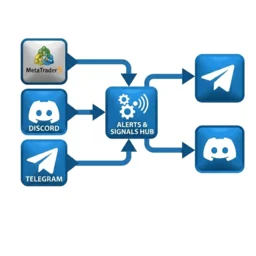
Every order entry means opening the channel to type the symbol, entry price, SL, TP. Moving SL means typing again. Closing means typing again. Hands full means you forget, forget means followers complain. This software does that part for you.
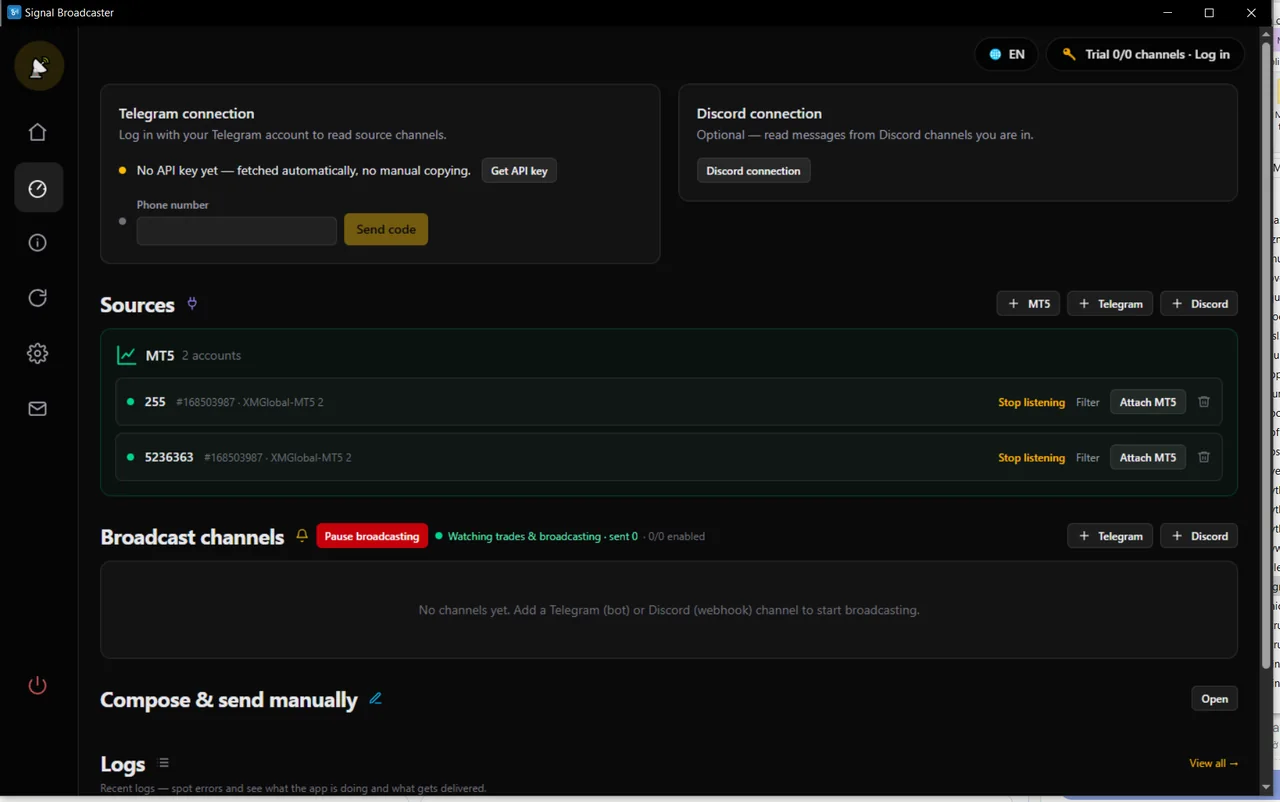
Not just new orders. Close, close part, move SL, move TP — each action one message, right time, right format.
Use one, two, or all three sources.
You trade manually, or run the EA. Software watches real orders on the account and broadcasts them.
Forward signals from another channel to yours, after filtering and reformatting.
Same as above, with Discord as source.
Need a bot of your own (create with @BotFather), set as channel admin.
Just need a webhook you create in the channel. No bot invite, no token needed.
You hit the order, followers see it. No more hitting an order and remembering 10 minutes later you forgot to post.
Entry price, SL, TP taken straight from the real MT5 order. No chance of typing a digit wrong.
All messages use the same template you set: symbols, row order, decimal places, strategy name. Discord also has color blocks — green for Buy, red for Sell.
Each channel has its own template and its own filter rules, even if taking signals from the same source.
Orders already open when you start the software don't repost. It only posts things that happen after you start watching.
Have a signal not from MT5? Fill a quick form, preview, hit send — still matches the template, still goes to all your channels.
Forwarding from another channel: replace phrases, change symbol names, remove emoji, remove links, remove @mentions, then add your own header and footer.
Template is text with placeholders. There's a preview right in the form — edit as you go and see it change.
{emoji} {symbol} {dir}
Entry: {entry}
SL: {sl}
TP: {tp}🟢 XAUUSD BUY
Entry: 4758
SL: 4750
TP: 4770 / 4780 / 4790Available placeholders: {symbol} {dir} (BUY/SELL) {dir_vi} (Buy/Sell) {emoji} {entry} {sl} {tp} {tp1} {lot} {ticket} {loai} (event name) {label} (strategy name).
SL: .Stated plainly, so a misunderstanding does not cost you money.
No need to install Python or anything else.
Each Telegram or Discord channel you broadcast to = 1 slot. Channel where you get signals from — where you take signals from — does not count.
No, and on purpose. It only reads orders and posts. Your account is safe from all of its actions.
Khai filter rules by row for the broadcast channel: which symbols, which magic numbers, which comment text. Non-matching orders don't post. You can also set strategy name for each row so the message shows which bot it's from.
No. Orders already open when you start are marked "known". Only things that happen from then on post to the channel.
Yes. Each channel has its own template and its own filter rules, even if taking signals from the same source.
Yes. Choose "Forward using processed form": replace phrases, change symbol names, remove emoji, remove links, remove @mentions, then add your own header and footer. Paste a sample message to see the result right away.
With Telegram the software auto-detects and skips. With Discord (webhook) it can't tell, so don't point the webhook back at the channel you're listening to.
Still sends, just can't auto-fetch the channel list — type the Chat ID by hand and done. Only the feature "Pick channel/group on Telegram" requires a separate bot.
No. One channel error does not stop the others, and the error is logged clearly in Log — "webhook was deleted", "bot not admin of channel"…
No. Data is outside the part being replaced.
Go to each new channel — make sure the path is open first.
Any fields exposed you don't want public: lot size, ticket number.
data\The file contains bot token and webhook URL — whoever has it can post to your channels, so don't share this folder with anyone.
This is an auto-posting tool. Content you broadcast and responsibility to your followers are yours — software does not enter orders and does not touch your trading account.
Installation guide See pricing