You follow several signal channels. Every order means opening MetaTrader to retype the symbol, entry price, stop loss, take profit — then watch the channel for SL move notices. This software copies signals from Telegram and Discord channels into MT5 orders — does that part for you.
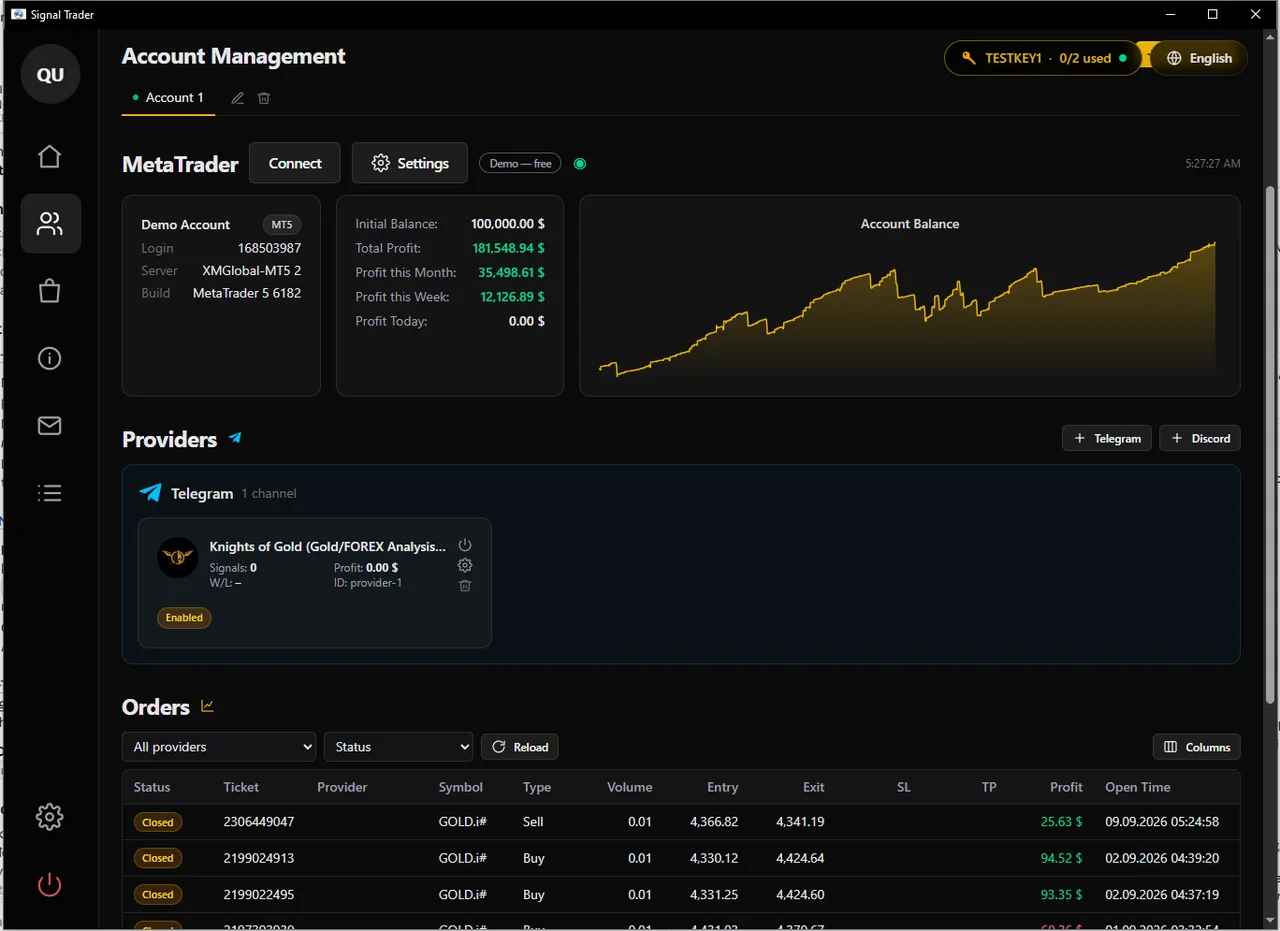
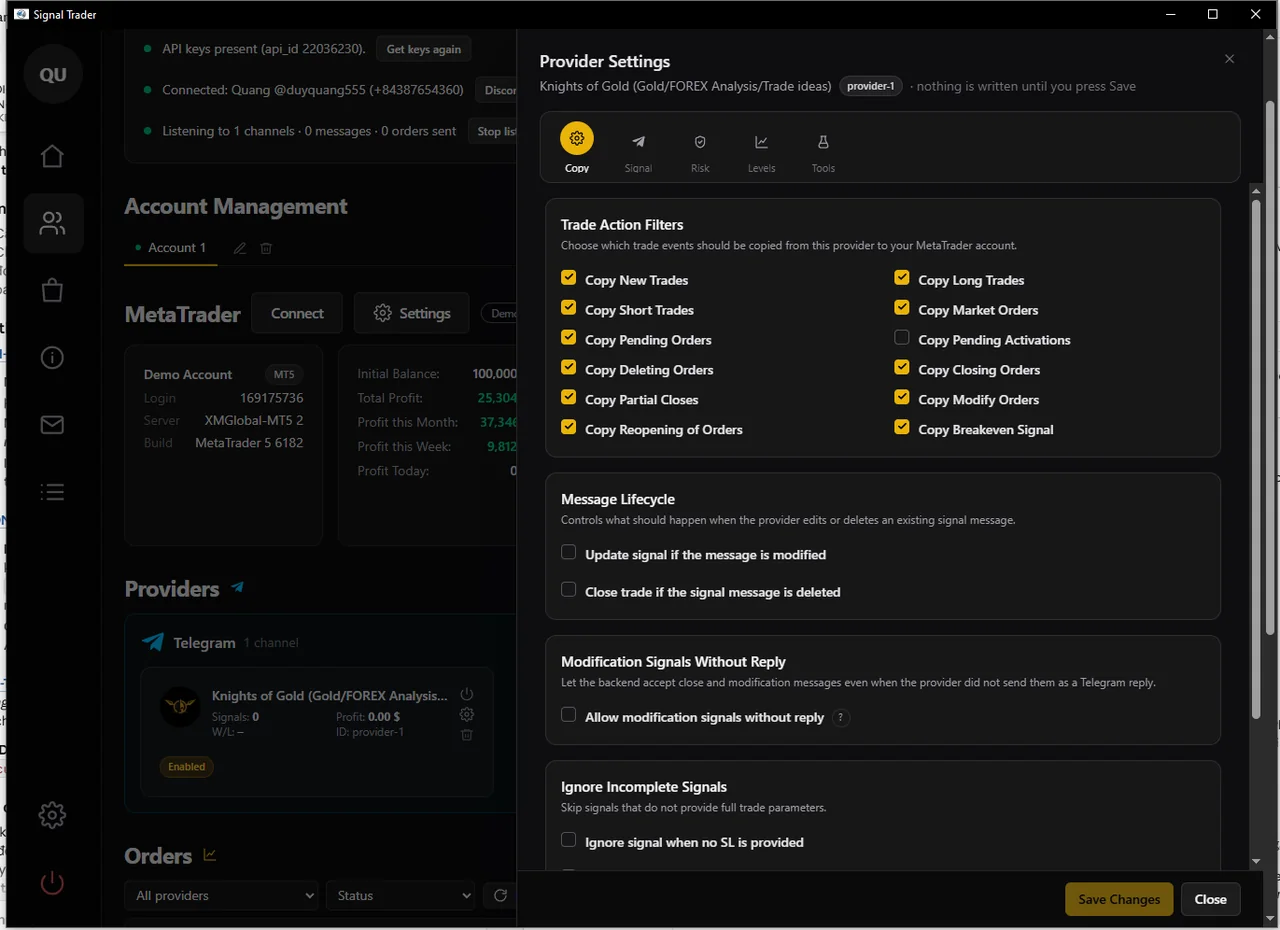
Not just new orders. Channel says "move SL to break-even", "close half", "cancel pending order", "re-enter order" — software understands and does it right on the right order that message refers to.
Signal goes up, order enters. No more waking up to see the channel up 200 pips and you have no order.
Don't worry about misreading 4758 as 4785 at 2 AM.
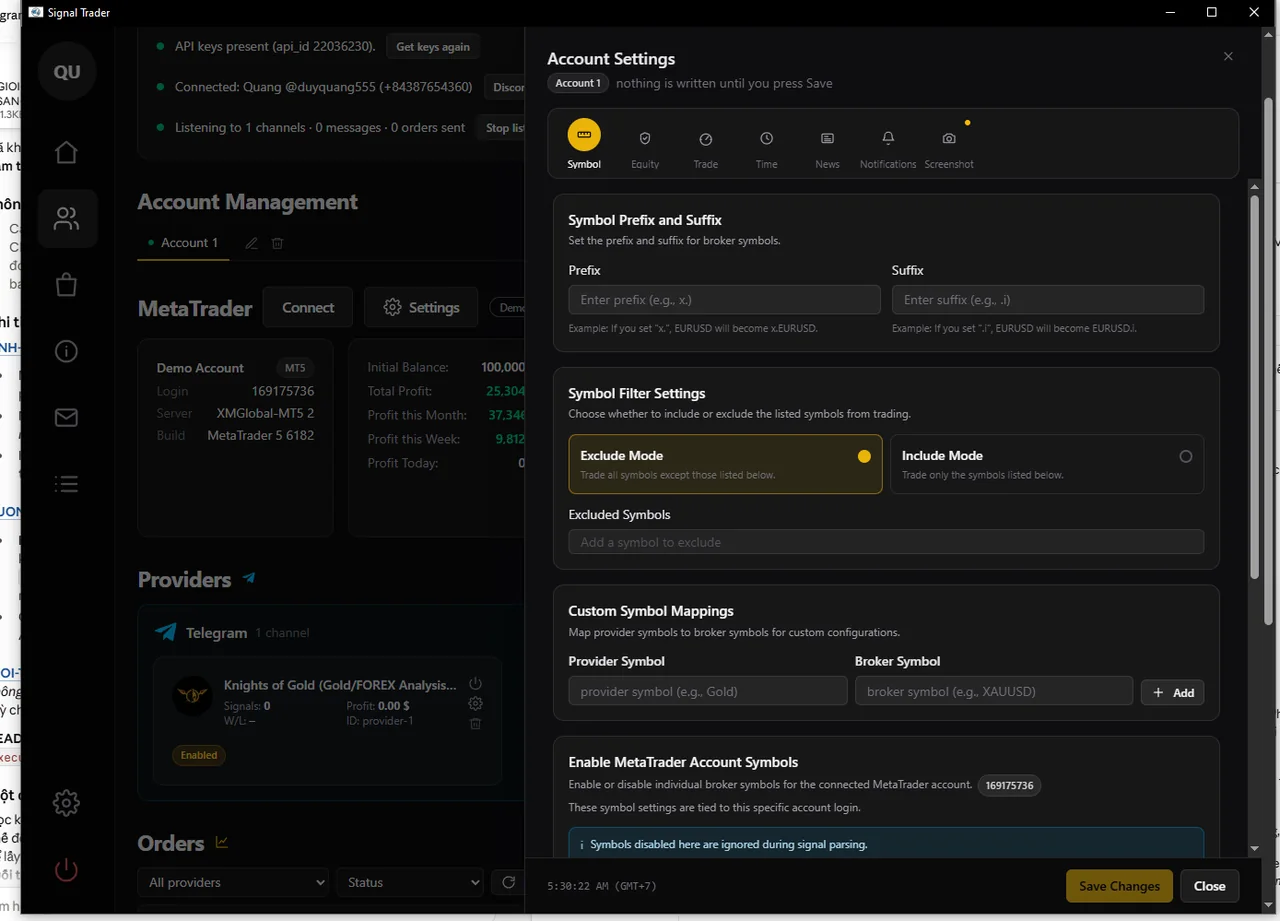
Signal channel Buy 62.xx-58.xx / Sl 54 when gold is at 4760? Restore correctly to 4762 / 4758 / SL 4754. Signal channel “SL 30 pips” instead of price? Set up once, understand it forever.
Auto-move SL to break-even when profitable enough, auto-trail SL with price, auto-move SL when hitting TP1, auto-close all before week-end — you set the rules, software watches.
Each channel gets its own config, each account gets its own MT5 terminal, no mixing.
Entry, close, SL move — report immediately Telegram. Want Email or phone push? Load the notification EA that comes with it.
Install and run — no EA to load, no MT config tweaks, no account password handed to anyone.
Stated plainly, so a misunderstanding does not cost you money.
No EA to load to get started.
Click Get key → enter phone number with country code → enter Telegram code sent to you. You'll get two codes at two different times — that is normal.
Click + Add account, give it a nickname, then pick an MT5 terminal from the list the software found. The account card shows the balance — you know it connected right.
Click + Add channel, then open ⚙ Channel settings set up the two most important things: risk (how many lots per order) and symbol this channel uses.
Demo account uses free, unlimited. Watch dozens of orders go in and out right before you switch to real money.
Account settings → tab Capital. This is the brake: hit daily loss limit and the software stops entering new orders.
Change it later — just takes one input box.
data\That's your data. Software updates never touch it; copy the whole folder to another machine and it works.
Scroll down to the Signals tab on the Account screen. Each message gets a row, and if it didn't enter an order, the reason is logged.
"Blocked by account rule: in forbidden time window"
"Duplicate signal received within 60s"
"Unrecognized symbol/direction in message"
"Blocked by symbol filter"
Most questions answered right there.
Software figures it out, you barely do anything.
| Label on account | Meaning |
|---|---|
| Demo — free | Demo account: free use, no limit, no login needed |
| Member | Real account opened through our IB: runs automatically, unlimited quantity |
| Key 1/3 | Using paid key — assigned 1 of 3 allowed accounts |
| Need paid key | Real account is not one of the above |
Unlock with button 🔑 in top right. One key works on many machines, limited only by your account number.
No. It talks to MetaTrader 5 already running on your machine. Everything stays on your machine, no server holds your account.
No — not for normal use. Software places orders straight into MT5, and Telegram alerts already work.
There's an notification EA included, but it's optional: load if you want extra alerts via Email or MetaTrader app on phone (MQL ID) — those two channels are built into MetaTrader so the EA helps call them. This EA only sends alerts, it doesn't place orders.
Unlimited. Each channel gets its own config — own lot, own symbol, own rules.
Any number, but each account needs its own MetaTrader 5 install — one terminal logs into one account at a time.
There are 24 templates for popular channels, and you can set custom keywords for yours. Just use Test message paste a real message and check — you'll know right away if it reads it.
Demo is free, unlimited, no login. In your download folder there's already .ex5 — nothing to compile. Watch dozens of orders go in and out right before you switch to real money.